Production health, traces and reviews for your LLM apps.

A native iPhone and iPad app for Langfuse. Check what’s failing, open the trace, rate the answer and compare prompts, wherever you are.

iOS 26 or later. Langfuse Cloud and self-hosted Langfuse v4. Try the built-in sample project without an account.

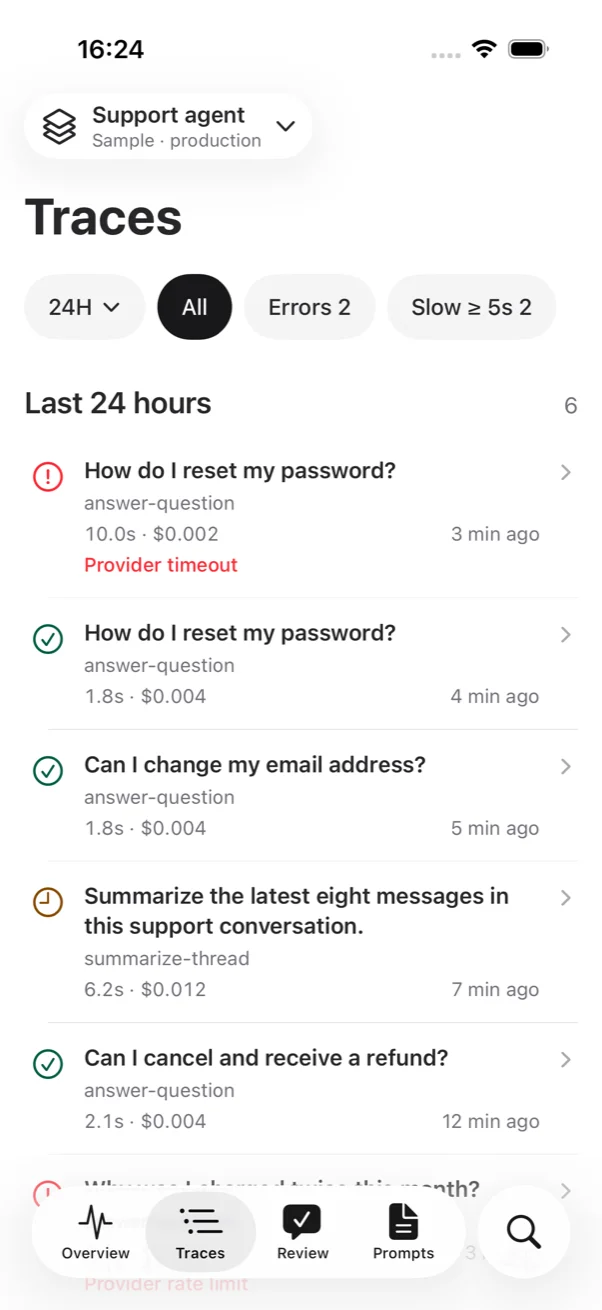
Traces list with status icons, duration, cost and time for each trace, and filters for errors and slow traces
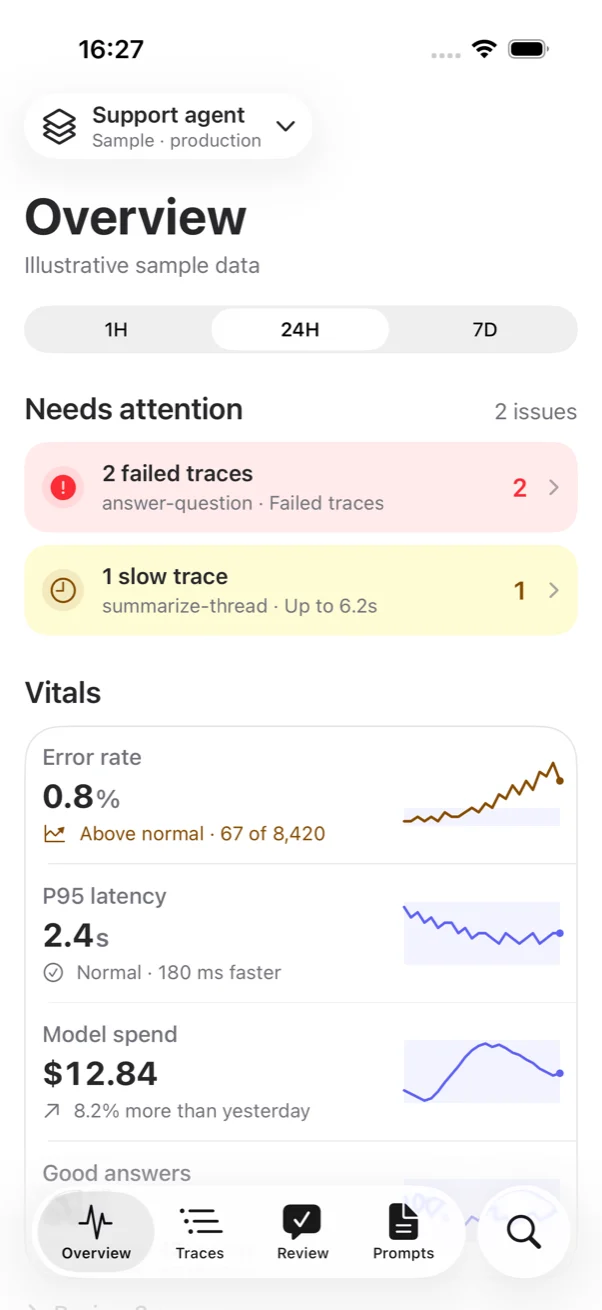
Overview screen showing two attention items and four vitals: error rate, P95 latency, model spend and good answers
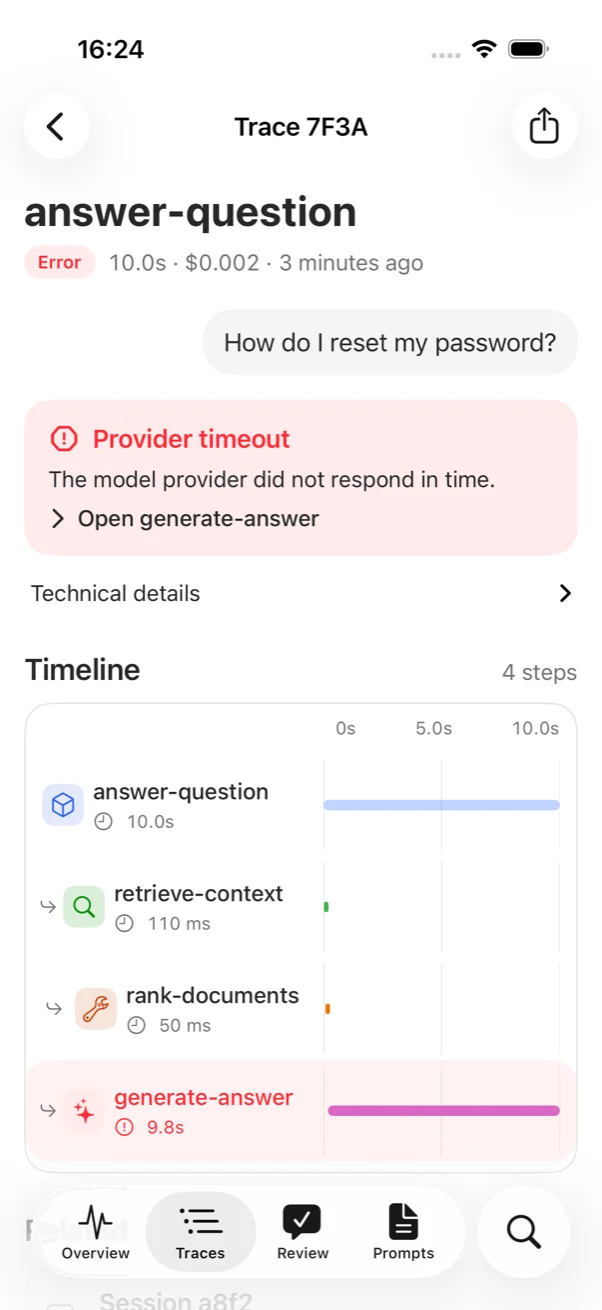
A failed trace showing a provider timeout, a link to the failed step and a four-step timeline on a shared time axis

Everything you check on the Langfuse dashboard, on your phone.

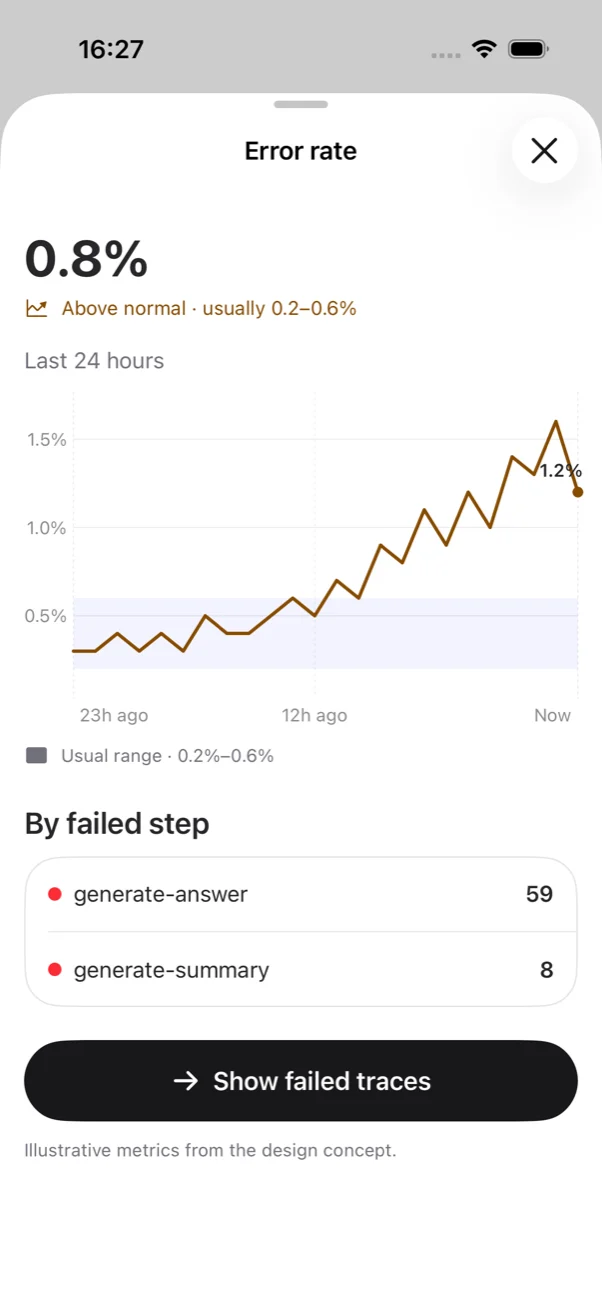
Error rate sheet with a labeled 24-hour chart, the usual range shaded and a breakdown by failed step

Vitals with context

Error rate, P95 latency, spend and answer quality, each against its usual range. Scrub a chart to read any point.

A failed trace with a plain-language error and a span timeline

Traces that explain themselves

The user’s question, a short failure summary and a shared-axis timeline. Jump straight to the step that broke.

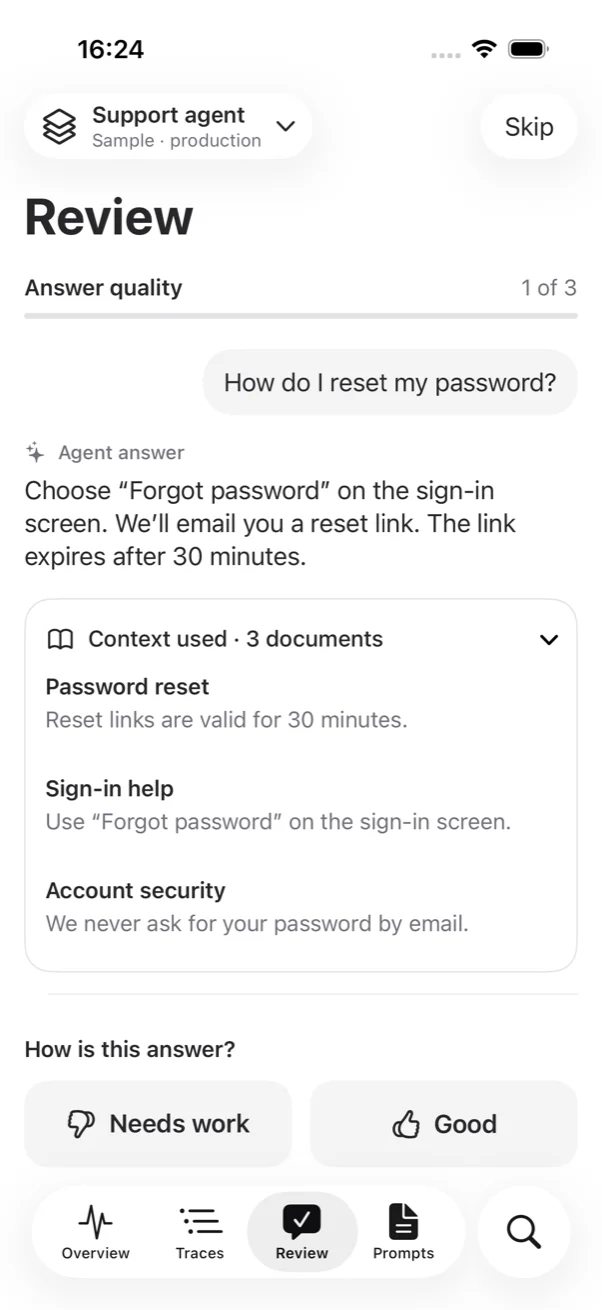
Review screen with a user question, the agent answer, context documents and Needs work and Good buttons

Review queue

Read the answer and the documents it used. Mark it Good or Needs work. Ratings save as Langfuse scores.

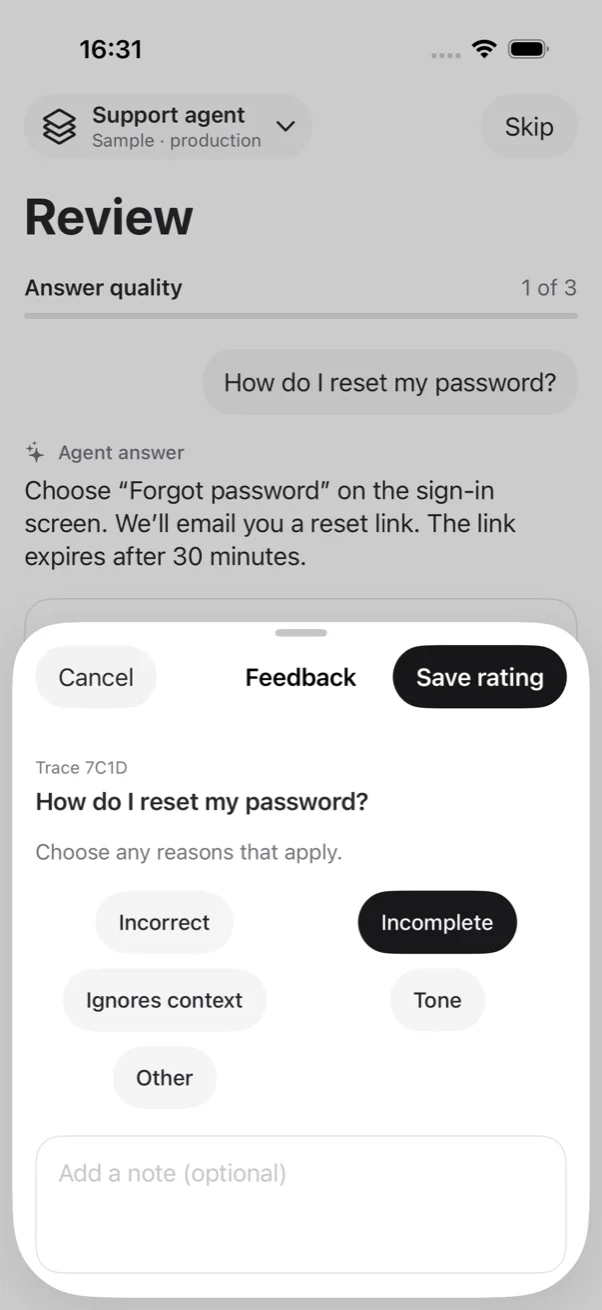
Feedback sheet with reason chips and an optional note field

Feedback in two taps

Pick reasons, add a note, save. Skip and undo are always there. Existing reviews are never overwritten.

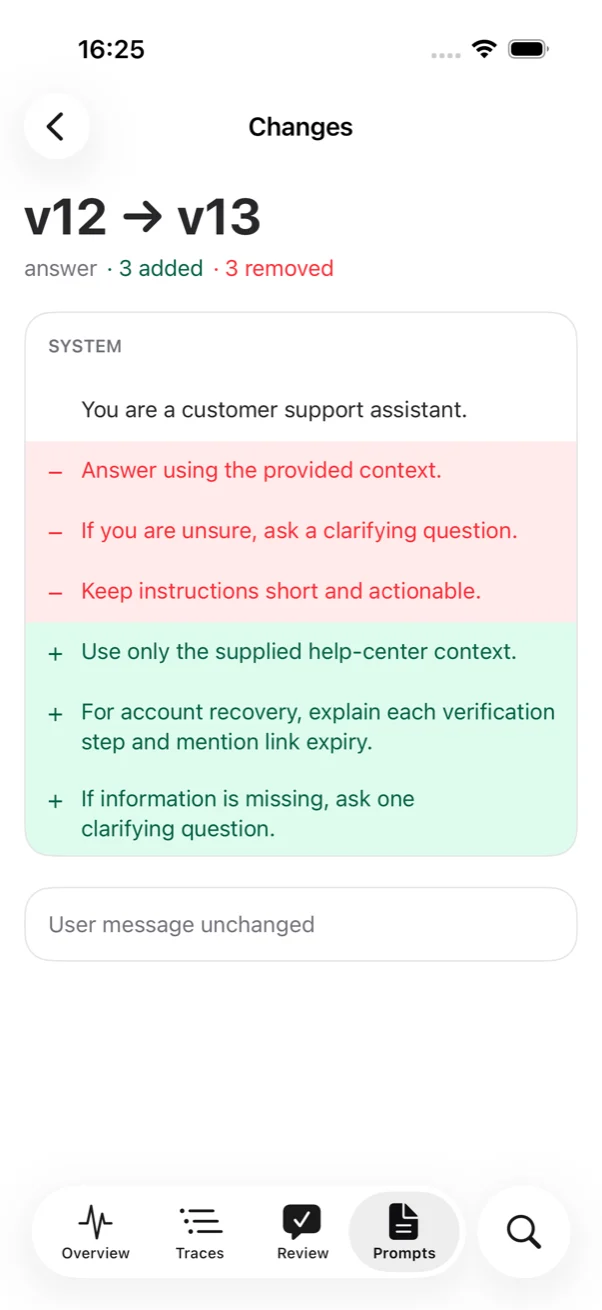
Prompt changes screen comparing v12 and v13 with removed and added sentences

Prompt diffs

Production and staging side by side, with a sentence-level diff of every message.

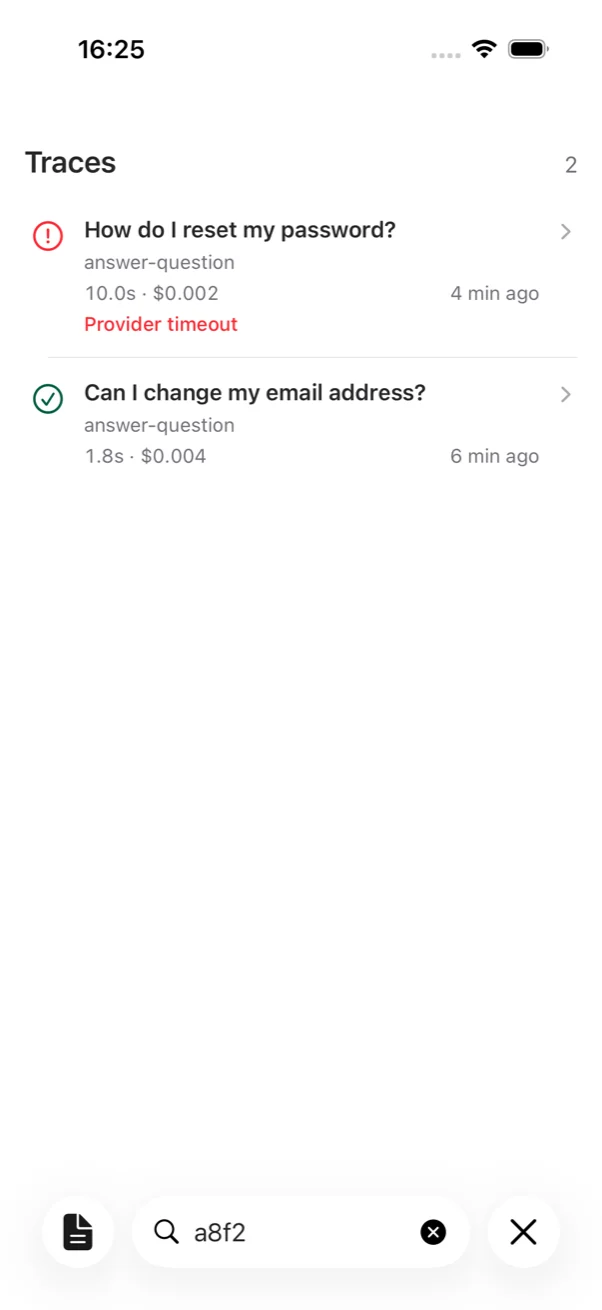
Search results for a session ID showing two matching traces

Search

Paste a trace ID, session, user or error text. Results respect your time range and environment.
Direct to your Langfuse project. Nothing in between.

Salle 215 app icon

Salle 215

For iPhone and iPad, iOS 26 and later.